
Buy anything from 5,000+ international stores. One checkout price. No surprise fees. Join 2M+ shoppers on Desertcart.
Desertcart purchases this item on your behalf and handles shipping, customs, and support to Barbados.
🎯 Master every game with precision and style — the Steam Controller revolutionizes your play.
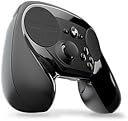
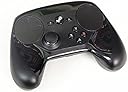
The Steam Controller by Valve is a wireless, ergonomic gamepad featuring dual trackpads, HD haptic feedback, and dual-stage triggers. It supports full customization of controls, enabling gamers to play any Steam title—even those without native controller support—on TV or PC. Compatible with Mac and Windows, it offers a unique, highly adaptable gaming experience favored by enthusiasts who value precision and personalization.


| ASIN | B016KBVBCS |
| Additional Features | Ergonomic |
| Best Sellers Rank | #15,389 in Video Games ( See Top 100 in Video Games ) #36 in Mac Gamepads & Standard Controllers #227 in PC Gamepads & Standard Controllers |
| Brand Name | Valve Index |
| Button Quantity | 14 |
| Color | Black |
| Compatible Devices | Mac, Windows |
| Connectivity Technology | USB |
| Controller Type | Joystick |
| Customer Reviews | 4.3 4.3 out of 5 stars (4,805) |
| Global Trade Identification Number | 00814585020007 |
| Hardware Platform | SteamOS |
| Item Dimensions | 8.39 x 6.3 x 2.72 inches |
| Item Weight | 1.2 Pounds |
| Manufacturer | Valve |
| Model Name | Steam Controller |
| Package Quantity | 1 |
| Power Source | Battery Powered |
| UPC | 814585020007 814585020069 |
D**A
Perfect controller
This is the most innovative and exciting controller I have owned. The quality is excellent, the ideas are useful and well chosen, the customization software is great and the fact that it allows a practically endless number of titles previously only playable in the very specific conditions of your PC now to be approached on the couch changes and adds to the experience of those titles. Most interestingly, it is not only a perfect controller, but an excellent input device on its own, and I found myself using it to work on the Unreal Engine Editor, meaning, using it for work on certain tasks and switching them from mouse and keyboard. Lots of devices have targeted that before (for example, the Leap), and none have succeeded. That speaks a lot for this controller. It is necessary to understand what to expect from this controller in order to avoid disappointment: No, it is not a plug-and-play experience. If you are expecting to plug the controller and start playing immediately feeling and upgrade from the xbox controller, then stop, this is not the controller for you. If you are willing to spend a mild amount of time tweaking and changing some options in the customization menu, then you probably are ok. Most of the most popular games already have excellent mapping options prepared by the community and your configuration will only be choosing one and applying it. Well configured, it beats titles with native xbox controller support, and you will have fun. If you want to play games that dont have controller support or that are inimaginable with a controller (for example Civilization) then you are in for a treat and this will be one of your best purchases. Buy right now. Lastly, If you have owned before devices that were intended to be tweaked and personalized to death, and getting into those menus and spending hours making the device work just for you is part of the experience you love and seek, then you will love this controller, and you will appreciate the absurd amount of options there just for you to play with. This is not necessary to use the controller, by the way. You can stay with the community mappings if that's your thing. So, in concussion? This is my new ideal controller, not only for play, but for certain work task that I didn't imagine i would switch to a device like this. I just love it to death. I would recommend it to anyone. It is different to what you are used to, so just try it. But, stay away from it if you: a) dont want to configure anything, just want plug and play, because this is not intended to be, and b) want all your games to play the same with the device, ej, the ease and familiarity that comes with an xbox controller, where you can guess the functionality of all buttons from the go. Here, every one of your games will play different, so you have to kind of relearn to play each game. Think of it like this: It is not the same controller, but a tweaked version for each particular game. I hope this helps to make up your mind. Have fun.
B**U
Best Controller
Love this controller, its not like an Xbox controller in terms of feel, which i like xbox the best, but the steam controller is innovative with the track pad, the ability to move left and right in a game as fast as you want rather than waiting for the controller's speed to turn you. thats important! You can also program this controller exactly how you want through steam OS for each game, its insane! I doubt you'll find many Steam controllers on amazon but if you find one from a good seller at a decent price ($50-90)dont hesitate! Super rugged as well!
E**A
Pretty much the most versatile controller out there, HOWEVER...
EDIT THE 2ND: So, it's finally happened. After some 2 months of owning the controller and about a rough 81 hours or so of playing, some constant, some not, the controller is finally giving me low battery warnings. That is absolutely insane for any controller in this day and age and honestly, puts anything made by Sony and Microsoft to shame just for that. And the nicest thing about this fact is that even on the off chance that you do run out, you can still use the USB cable that came with it in order to play just fine. This is the only controller on the market in which you do not have to worry about ever running low. That is a very welcome change in this day and age of wireless. EDIT: Actually I should note one glaring issue with the controller here, though this is more on game developers than Valve for this all things considered: Do be careful when trying to play games that do not come with native simultaneous Keyboard/Gamepad support (anybody that's tried to do this with a Bethesda game will know exactly what I am talking about...), as while the controller can do either or, make sure you configure it to only one or the other, or it will absolutely not work. Again, this isn't a problem with Valve as they have done a lot to make sure that developers can set up this controller no problem, but with developers who, somehow in 2016, still haven't gotten around to that kind of support. So the Steam Controller's been out for a little bit now and at this stage of my ownership of such, I can say I've logged about a good 40 or so hours on this controller thus far. I'd like to take the time to point out some arguments and such in the course of this review. First off, let's get some major dealbreakers that I have with this controller out of the way first: 1. Yeah, you do have to use Big Picture mode in order to fully utilize the controller's functions. This might be annoying for a lot of people who are just trying to play this on their desktop and kinda don't want to deal with Big Picture's interface. There is no way via the normal interface to be able to configure the controller and all of its functions in order to fully customize it your liking. 2. Controller size. Considering that I in particular have GIGANTIC MONSTER CRAB HANDS, this controller is a perfect fit for me, but this may end up being something too large for those with average to small sized hands. There are ways to get around this in terms of the controller's customization options so you can make it slightly more comfortable, but this might be a major turnoff for those who are used to things like the XBone/PS4 controllers. So with that out of the way, I just want to say one thing about whether you should buy this or not: If you're willing to be able to put in the time and effort to be able to get used to the controller and figure out what its configuration options mean, then I can safely guarantee you that you have what is astoundingly the most versatile controller in existence. What do I mean by this? Essentially speaking, if you are willing to figure out how a game you want to play would be maximized in comfort for use with a controller, the Steam Controller's configuration settings are more than you could possibly want for playing that game, even if at first blush it doesn't seem that way. The main feature of the controller, the touch pads, can be set to have a total of /9/ different kinds of input. Whether you want it to look around in an FPS the way a mouse would or you want to quickly maneuver objects and enemies in a Top-down shooter, the touch pads can easily handle it. And if it proves too weird? Just move the configurations around until you find that sweet spot that allows you to use it. And that's just the very surface of what this controller provides. Say you want to get into an old game like System Shock 2? You know, tons of interface, commands, mechanics? This controller can still do that. Through means of mode-shifting and other such options, this controller has amounts of input that easily measure in the good 40 or 50 commands. "But," you may be asking me now, "What if I don't want to spend so time making my own setup for this? I thought the point was to get into a PC game without any interruption or preparation!" Well, that is another strength of the Steam Controller, in particular, Valve's method for providing the community with configurations. Essentially, you can choose from one of a few categories for a setup. Either the Developer's own configuration for the controller, if there is one, some templates that fit a general number of cases (gamepad with FPS mouse, XBone gamepad, stupid amounts of inputs, etc.), and last but certainly not least, the community configurations. These all provide a fantastic starting point to understand what the configuration options do. You are more than able to find a good diving point for being able to understand your new controller. I couldn't possibly write all the different configurations here, but the gist is that if you can think of it, the Steam Controller can handle it in some fashion. Pretty much the only case where it becomes a little trickier to do this are games that are not part of it. Again, it's actually rather painless because you can add non-Steam games and use them in Big Picture mode without much of a hitch, but I have noticed some difficulty in making sure that the controller works the way I want it to. Another praise I have to sing about the controller is the battery life. You remember that some 40 hours I logged in so far? Those are still on THE SAME SET OF BATTERIES that I have started out with. Two AA batteries mind you. That is absolutely insane. Either Valve discovered the secret to energy efficiency (considering all the haptic feedback that this controller provides), or they made a deal with some voodoo elder god to be able to make this possible. And this was all wireless gameplay, I hadn't even touched the cable that they provide you with the controller. The fact that they can do this with just two normal AA batteries should pretty much be a slap in the face to XBone's designs. I can't even imagine the XBone's controller lasting even a fifth that long on a normal basis. Not to say that you even have to use batteries in the first place, as you can use the Steam Controller and all of its features without having a set of batteries plugged in, only using a Micro USB cable if you so desire. This pretty much insures that you have absolutely nothing to worry about in terms of being able to stay in your game for long periods of time. So, what is the point I am trying to make with all this talk? At this time, I would not give it a full five-star rating because some of the glaring issues are still pretty much there, despite all that you can do to make this controller work well with you and make sure that you aren't wrestling with your games over whether or not something works. This really is a thing that you have to get to know very well in order to have a full opinion of whether or not it is for you. Again, if you can put in the time and effort to really get used to the feel of it and get to know this controller, you have what is, bar none, the most versatile controller on the gaming market to date. However, this is if, and only if, you are willing to put the time and effort to gaining a full understanding of it. I know that is a major dealbreaker for most people seeing as one of gaming's central points of focus is just ease of use. If that is something that sounds like it might take too much time for you to get used to, then by all means, stick with an XBone or PS4 controller, nobody is going to fault you for that for wanting to use something that you know is consistent and that you know works very well for you. But, if you truly want something novel and actually innovative to experiment with and actually have a grand old time, making old games seem fresh, making new ones even better, then the Steam Controller can do all that you want, provided you put in the time. If you do want to do that, I have some helpful advice for you: Don't make the first game you play on this controller something like an FPS or an ARPG like Valve advertises. Play some games first that allow you to be able to get used to the layout of the controller with ease and without any hesitation. For instance, I started off by playing things like Batman: Arkham Asylum and Viscera Cleanup Detail. Things like that, where you can play the game at your own pace and figure out what sorts of settings you like for those types of games. As you get more and more used to it, you'll be using the controller to play these games without even thinking about it. I got this controller because I really did need something that was more comfortable to play than mouse and keyboard (bad wrists and everything that comes with it), and at this point I can safely say that I have found that thing. But, please, before going out and saying "augh I don't like it" just borrow a friend's for a little bit and play around with it. I guarantee that having done so, you won't even have thought about how weird something like this is and see the value of these things.
C**S
*Esta reseña fue escrita el mismo dia de la entrega, contiene primeras impresiones y opiniones preliminares, espero actualizarla en un par de meses con los puntos finales. "El Steam controller no es para todo mundo" por mas cliché que suene esa frase tiene mucha verdad, el mando viene con un par de baterías AA y un extensor de rango bastante practico. lo primero que notas es el peso del control, sin las baterías es notablemente mas liviano que un control de xbox 360. Siendo el primer dia no tengo mucha practica con el control pero si es importante mencionar que lleva tiempo adaptarse, yo tengo muchos años usando mi viejo control de xbox 360 (ya ni la consola tengo) y cambiar al steam controller es cuestión de practica, hoy solo use mass effect 2 y dark souls dos juegos sin soporte oficial pero la comunidad de steam tiene varios perfiles que puedes seleccionar para ahorrarte la configuración (tengo pensado hacer la mía ya les contare como fue). Opinión preliminar: si su control favorito se descompuso y/o quieren probar algo distinto lo recomiendo bastante, si no tienen paciencia para entrar en configuraciones mejor no gasten su dinero. Nota adicional: no se confíen en la fecha de entrega de amazon, a mi me llego dos días antes de lo anunciado, si quieren saber la fecha exacta copien el código de seguimiento del transportista y búsquenlo en su pagina directamente ellos son mucho mas exactos (por obvias razones) *Actualización: después de dos meses de uso puedo decir que estoy muy feliz con la compra, en control es muy responsivo, y lo mejor del caso es que todos los problemas de compatibilidad que puedas tener se pueden ajustar en un par de minutos, una cosa que no te mencionan es que el control también funciona como mouse y teclado afuera de los juegos, eso es muy practico ya que los comandos en ambos casos son muy intuitivos (nota técnica: si bien el control funciona como muse básico por si solo necesita steam corriendo de fondo para el teclado y la función de rueda del mouse). En cuanto a la configuración de control les recomiendo basarse en la mas recomendada de la comunidad y ajustarla a sus necesidades (cosas que rara vez tendrán que hacer) un cambio que recomiendo es la cámara traten de elegir joistic/mouse con tanta sensibilidad como estén augusto, con un poco de practica imita bastante bien la sensibilidad del mouse en los FPS
イ**サ
This controller is not for everyone, is completely different from all the others controllers and it does things that the others come no where near. Like Pad aiming + gyro aiming for correction, playing mouse and keyboard games, using windows and browing netflix etc without touching the keyboard or mouse.
F**S
ho preso questo pad dopo essermi informato parecchio visto che e si un Pad ma molto diverso dai soliti pad come ad esempio ps4\one\ps3 ecc ecc tanto per cominciare ha 2 tasti Trigger in più sul retro che premerete con il dito medio o l'indice,quindi in totale ci sono 6 tasti completamente configurabili+ i soliti 4 pulsanti YXBA, contro i 4 tasti trigger e 4 pulsanti degli altri pad, poi come potete vedere anche dalle foto che ho postato manca lo stick analogico di destra,che è stato sostituito con il d-track,in poche parole funziona come il mouse dei pc portatili o come il tasto centrale del pad della PS4, all'inizio sembrerà strano visto che molti di noi siamo cresciuti con i classici pad della sony\ms, ma una volta presa la mano sarà talmente comodo che non vorrete più tornare indietro al classico pad,,in oltre il pad funziona su tutti i giochi esistenti anche i vecchi classici come baldur's gate,dragon age origins ecc, è configurabile come volete tramite steam che passa in configurazione big picture come potete vedere dalle immagini da me postate sul mio pc, in poche parole per me è Consigliatissimo logicamente pagandolo 59 euro o ancora meno in saldo io l'ho pagato su Steam a 32 euro visto che è in offerta fino a metà maggio se non mi sbaglio, e comunque costa 59 euro a prezzo pieno sia su Steam che al GameStop,quindi non capisco il perchè dei 150 euro richiesti per lo steam controller..
É**E
I have been looking forward to trying the steam controller since the day I first heard about it, and I was not disappointed. Although it does require a bit of practice to get used to it, with time it becomes a great controller, much more versatile and precise than a regular one. I first tried it with DOOM, which was pretty harsh, especially since I was used to keyboard/mouse input method, but I then tried it with Styx, Master of Shadows and it worked much better there. The additional buttons, double trackpads and customization proved very helpful throughout the game. It also sits fairly well in the hand, but the plastic feels somewhat cheap and the edges a little bit sharp, but it's not even close to being uncomfortable. I higly recommend getting one (especially when it's on sale) and getting used to it, as it works great it the right games (from what I've tried heard and read, adventure and racing games are the two best genres for the controller).
V**N
Todo esta muy bien, calidad de mando, jugabilidad etc , la unica duda, que a parte de steam no esta conectable con algunos juegos de otras plataformas, como origin etc , pero el producto esta genial para todos tipos de juegos!
Trustpilot
3 days ago
2 weeks ago