


Offline Controller
Product ID: 261306057
Details
- BrandGenmitsu
- ColorBlack
- MaterialFor PROVerXL
- Product Dimensions3.5"L x 2.8"W
- Voltage36 volts
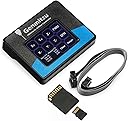
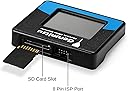
💾SD card file transfer
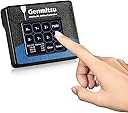
📱2.4” touchscreen display
🔌Offline control, no PC needed
Desertcart purchases this item on your behalf and handles shipping, customs, and support to Barbados.
⚙️ Take command of your CNC workflow—no laptop required!
The Genmitsu CNC Router Offline Control Module is a compact, user-friendly controller designed exclusively for the PROVerXL 4030 and PROVerXL 4030 V2 CNC machines. Featuring a 2.4-inch touchscreen, SD card compatibility for G CODE file transfers, and full offline operation, it empowers professionals to manually control and run CNC projects without a computer, enhancing workflow flexibility and efficiency.

| Asin | B08P2QZJH9 |
| Best Sellers Rank | #378,003 in Industrial & Scientific (See Top 100 in Industrial & Scientific) #93 in 3D Printer Controllers |
| Brand Name | Genmitsu |
| Color | Black |
| Customer Reviews | 3.8 3.8 out of 5 stars (210) 3.8 out of 5 stars |
| Display Type | Touchscreen |
| Global Trade Identification Number | 00816550024133 |
| Included Components | Offline Controller |
| Item Dimensions L X W X H | 3.5"L x 2.8"W x 0.7"H |
| Item Type Name | Offline Controller |
| Item Weight | 0.12 kg |
| Manufacturer | Genmitsu |
| Material Type | For PROVerXL 4030 |
| Model | Offline Controller |
| Number Of Items | 1 |
| Number Of Packs | 1 |
| Operating Temperature | 22 °C |
| Part Number | RC4030 |
| Unit Count | 1 Count |
| Upc | 816550024133 |
| Voltage | 36 volts |
User
Terrific Control Module For My CNC Router
This Genmitsu off-line controller is far better an addition to my ProverXL 4030 CNC router than I could have hoped for. Extremely easy to set up and use. The connector cable is plenty long enough to let me maneuver about my work area. I was expecting it to cost much more and am happy with this wonderful price point. Between the manual and online videos, it took mere minutes to master the controller. it is really nice to not have to have the router tethered to a computer. The card reader works perfectly, and I have not experienced any issues with transferring program files. The display is clear and easy to view.
User
Came with German instructions only!
So the seller was very nice and reached out to me and offered a full refund (You don;t see that everyday!)However, I decided to look on Youtube to see if anyone had instructions on how to get this unit working on the Genmitsu Prover XL 4030 (which is what I recently bought) and I found a video YAY! So in liue of this, I changed my rating to 5 stars and well deserved because the vendoe was offering me a full refund. I decided to keep it and now it runs GREAT! Thank you! :D
User
Works well, but some things to be aware of
This product works great, and allows you to use a card to store your gcode and send it. It does exactly what it should do for controlling the machine as well. Here are some things to be aware of, though.1. You cannot have this plugged in to your controller at the same time your computer is plugged in via USB. It will cause conflict issues.2. This is on all the time, even when you turn off the controller. The only way to turn it off is to unplug the ribbon cable. That's rather inconvenient and I worry about damaging the pins.3. There are no instructions with it at all. Not hard to figure it out, but instructions would have been nice.
User
Not impressed
Not a fan of this controller. It seems to cause electrical interference which causes the program to stop. I stopped using it and the problem went away. I much prefer the 3018 controller with the physical buttons instead of the touch screen, but this is the only option for the 4030.
User
The menus are not convient to use and it has a lower step resolution than Candle.
First, I'll tell you what software and CNC I am using for anyone that might have the same stuff.Machine: Genmitsu PROVerXL 4030Design software: CarvecoGRBL controller: CandleFirst, the good. I love that I don't have to have my laptop connected to my CNC machine all the time in order to make a part!The bad: The menu buttons are all wrong. If you hit the return button from any menu, you go to the main screen, not the previous menu you were in which means when you are jogging your machine to move it to the 0 point of the work piece, when you set 0 for one of the axis and then want to move the machine to set 0 on the next one, you have to go back to the main menu and get back to the jog screen instead of just going "back" to where you just were 1 screen ago.Next, and this is the big one for me, with my laptop connected, I can move my machine 1/100 of a mm at a time to get the most accurate 0 point setup I can achieve. With this offline controller, I can only move 1/20 of a mm. The Candle software has a 5 times greater resolution than this controller. For the parts I am making, that matters although I know not everyone that is machining things are going to have this problem.Next, when you add a file to the SD card, there is no button to refresh which means you have to turn the machine off and then on again to load a change to your file. You can't pull out the SD card, make a change and then re-insert the SD card all with power on or the controller doesn't recognize the card. My 3D printer has a button to re-initialize a card if you do need to make a change. Seems like an easy button to add to the menus. If you think I'm being petty about it, you haven't thought through the ramifications. That means re-zeroing your machine each time you make an adjustment to the program because it loses its position each time you power off the machine...VERY INCONVENIENT!Next, when you first power on the machine, you have to press the reset and then the unlock buttons before you can jog any motors. You can go through an entire program load and once you press the button to start the cut, you get an error message because the stepper motors are not unlocked. Why not just add that bit of code to the startup process? It's an easy thing to forget to do each time you power up and if it's something that needs done each time, why is it a manual process?Next, it took me a couple of nights to get it to work at all. I kept getting an error message when a file was loaded and start to cut. I did read the online manual for this controller and I did insert the G90 code at the beginning of the program just like the manual said. But, the manual also said not to delete any other lines of code when doing this. That is a lie! This controller cannot handle a T code (tool change command) it will throw an "unsupported command" error instead of just skipping over an unknown command. A tool change command happens to be inserted at the beginning of every code my software makes. I needed to replace the T1M6 code with the G90 code to get it to work. This offline controller will show you the Gcode but it will not tell you what line throws the error message so I had to find that trick out by trial and error. It will also not tell you which line of code it is currently executing.There is a list of error codes online for this GRBL but they are very nondescript.Finally, there is no way to get to the feed rate controls until you have started the program. That means the CNC is already moving before you can even reach the menu to make adjustments. I have broken countless bits because I didn't get the machine slowed down until after the cut had already started. Why can't that be one of the menus that can be reached before a program starts to cut?With some minor adjustments to the menus, this could be the best darn offline controller a guy could hope for but as it is, I'm better off just lugging my laptop back out the shop and using decent software to do the same job. It's kind of like the most inconvenient piece of convenience you can spend your money on.
User
Improves System Stability
I purchased the offline control module after experiencing repeated stability issues while using UGS on a laptop computer via USB cable. Some carves would complete successfully while others would stop randomly for no apparent reason. The offline module seems to have resolved these issues. The process of loading the Gcode files onto the SD card is an extra step but is easily accomplished on a Chromebook with an SD slot if you use Easel. User interface is an intuitive menu driven touch screen.
User
Not User Friendly and Little Support
I hate this thing! My first run seemed to go well but I broke a bit and had to stop everything. My bad but since then I can get the spindle to operate properly. At times I can't get the spindle to jog, then I can't get the spindle to spin. I've revised my cut plans several times using Easel and downloading them to the SD card. By the way I'm using a Mac which you should know isn't supported by the Candle software. Thanks for letting me know about that. No problem however since I have the offline controller - riiiiiggght. I've spent over 16 hours trying to get this piece of "@&@%" to work and nothing. Yesterday afternoon I got the spindle to move to the first cutting position but the spindle wasn't turning. This morning, after unplugging everything in hopes for a reset, I tried a new file and only the spindle would turn, nothing else. Yesterday I ordered a new laptop in hopes of getting my CNC up and running. Fingers crossed.
User
Really helpful
Awesome Company they help Is through problems .design and quality really will made . Good product.
User
L'informazione deve essere obbligatoria
Manca un librettino di spiegazioni.
User
Fonctionne bien.
Il y a un manque d’information sur les menus et leur utilisation. Même sur le site de SainSmart on explique pas tout. La couleur rouge pour la gestion des erreurs n’est pas assez visible compte tenu de la grandeur de l’ecran.
User
マニュアル要るでしょう
マニュアル付属せず
User
Schönes Teilchen
Sehr übersichtlich und hoher Bedienkompfort.
User
Excellent little unit
The Genmitsu offline controller i found works flawlessly, good value for money, it could do with being slightly bigger then would be perfect
Trustpilot
3 weeks ago
1 week ago