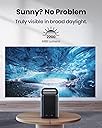
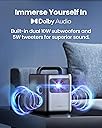
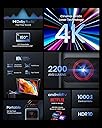
๐ Elevate your space with cinema-grade 4K brilliance and smart portability!
The NEBULA Cosmos Laser 4K Projector delivers stunning 2200 ANSI lumens brightness and true 4K UHD resolution with laser technology, ensuring vivid visuals even in well-lit rooms. Featuring Intelligent Environment Adaptation for automatic screen fitting, autofocus, and keystone correction, it offers seamless setup. Its portable design with ergonomic handle, combined with powerful Dolby Audio speakers, creates an immersive home theater experience. Integrated Android TV 10.0 with Wi-Fi and Bluetooth connectivity provides access to thousands of apps and endless streaming options, making it ideal for both professional and home entertainment use.
| ASIN | B09XMBR1NN |
| Additional Features | Dolby Audio, AIFI, 3D Soundscape, Intelligent Environment Adaptation (IEA) Technology, Keystone correction, Auto focus, Screen fit, Eye guard, Laser-Powered, True 4K laser projector, 4K UHD, HDR 10, Built-In Dongle |
| Antenna Location | Business, Home Cinema |
| Best Sellers Rank | #242 in Video Projectors |
| Brand | NEBULA |
| Brightness | 2200 lumen |
| Built-In Media | Adaptor |
| Color | Black+Gray |
| Compatible Devices | Television, Laptop, Gaming Console |
| Connectivity Technology | Wi-Fi |
| Contrast Ratio | 1000:1 |
| Control Method | Remote |
| Controller Type | Button Control |
| Customer Reviews | 4.2 out of 5 stars 357 Reviews |
| Display Resolution Maximum | 3840 x 2160 |
| Display Type | Laser |
| Display resolution | 3840 x 2160 |
| Form Factor | Portable |
| Hardware Connectivity | Bluetooth, HDMI, USB |
| Item Dimensions L x W x H | 13.16"L x 12.5"W x 8.58"H |
| Item Weight | 10.7 pounds |
| Lamp Wattage | 150 watts |
| Light Source Operating Life | 20000 hours |
| Manufacturer | Anker |
| Maximum Image Size | 150 inches |
| Maximum Throw Distance | 4.22 meters |
| Mfr Part Number | D23501F1 |
| Minimum Image Size | 60 inches |
| Minimum Throw Distance | 1.68 meters |
| Model Name | Cosmos |
| Model Number | D2350 |
| Mounting Type | Tabletop Mount |
| Native Resolution | 3840 x 2160 |
| Number of Items | 1 |
| Picture Quality Enhancement Technology | DLP |
| Projector Maximum White Brightness | 2200 ansi_lumens |
| Recommended Uses For Product | Business, Home Cinema |
| Software Update Supported to Date | unknown |
| Special Feature | Dolby Audio, AIFI, 3D Soundscape, Intelligent Environment Adaptation (IEA) Technology, Keystone correction, Auto focus, Screen fit, Eye guard, Laser-Powered, True 4K laser projector, 4K UHD, HDR 10, Built-In Dongle Special Feature Dolby Audio, AIFI, 3D Soundscape, Intelligent Environment Adaptation (IEA) Technology, Keystone correction, Auto focus, Screen fit, Eye guard, Laser-Powered, True 4K laser projector, 4K UHD, HDR 10, Built-In Dongle See more |
| UPC | 194644100186 |
| Video Encoding | H.265 (HEVC) or VP9 |
| Warranty Description | 1 year |
| Wattage | 30 watts |
A**.
I went through 4 different Nebula projectors before settling for this one
Hi, if you want to read the short version, please skip to the Pros/Cons section. I was looking for a great projector on a budget but quickly realized that being picky and on a budget donโt mix at all. First I bought the cheaper Nebula Cosmos DLP 1080p ($600). It was ok until I noticed that the dark scenes were way too dark. For example, I saw a night scene while watching a TV show where I could barely see the body silhouettes of the characters. Turned on my old Sharp 50โ LCD TV which is right next to the projector screen and played the same scene just to compare and the difference was brutal and disappointing. I know a projector must be very exceptional and expensive to be compared to even the cheapest TVs out there, but this was just too much. Also, I had to turn all the lights off and close all the windows and doors if I wanted to get a decent image. I bit the bullet and returned it in exchange of the step-up Cosmos DLP 4K ($1,000). That one was almost perfect. Image was phenomenal even with the lights turned on and audio from the embedded speakers was amazing BUT it started to overheat after a week. Even with the air conditioner blasting and me changing the projectorโs location away from all walls. It kept randomly overheating sometimes just 2 minutes after turning it on, sometimes it would go a whole movie with no issues, but it became annoying for a $1000 device. Soโฆ.I returned it. This time I got the Cosmos Laser 1080p ($1,200), Image was โokโ but still disappointing. RETURNED again. Thatโs when I jumped to the Nebula Cosmos Laser 4K ($1,800) and I literally saw the light. The image looks amazing even with all the lights turned on. Too pricey for what I initially wanted to spend but it is worth it, I have been using it heavily for 3 months and no overheat yet, knock on woodโฆ. Pros: Image is impressive. Audio is surprisingly good, loud, and clear. I have to admit that the Cosmos DLP 4K has slightly better audio, but with this one you donโt need to buy a home theater audio system unless you really want to spend that extra money. Android OS means you have a truckload of apps at your disposal, including the usual streaming apps like Netflix, YouTube, Prime, etc. Relatively compact size for such a self-contained marvel. Quiet enough to not be a distraction. I usually sit around 1 foot away from it and the fansโ noise is only noticeable on the longest quiet scenes, if any. Auto-sizing and Auto-Keystone make setting it up so much easier, in my case it not necessarily gets it 100% right but it gets it close enough for me to manually provide the final adjustments in a matter of a minute or two. Maximum screen size is advertised at 150โ, unfortunately I donโt have such a big wall available to give it a try. I have been using an 80โ screen and it looks phenomenal, I just received a 100โ screen to replace the 80โ one. Letโs see how it goes. Cons: Connecting my Bluetooth headphones sometimes is a pain, after having it paired and turning off the equipment it takes a long time and several tries to get it going. Bluetooth headphones/speakers get disconnected when I switch the input to a BluRay player connected to the HDMI port. Making it impossible to use any Bluetooth audio device. If there is a workaround to make both work at the same time, I havenโt found it. Only 1 HDMI port. It would be awesome to be able to connect a BluRay player and an audio system at the same time. The Cosmos DLP version has 2 HDMI ports, Why is this one so much more expensive and doesnโt have 2 HDMI? The version of the cellphone app for this Nebula model is kind of limited in comparison to the one I used for the previous models. For example, with the previous projectors I was able to type from my phone directly to the projectorโs search box, now I canโt. Last but not least, the most annoying of all, for the image adjustments (picture mode changes, custom picture mode changes, gamma, etc), the menu takes around 30% of the screenโs right side and the content being played in the background gets dimmed to a point that you donโt really notice the changes you are doing, so you have to exit the menu all the way back to see the results and repeat all over if you donโt like what you see. Nebula team: please minimize the menu to a little corner or to the bottom of the screen while we try to adjust the image and do not dim the content so we can see the changes as they are without so much back and forth. Thankfully, most of the Cons mentioned above can be easily fixed by a software update and I really love this projector despite them. If you are not too picky and really want to save some serious dough, get the Nebula Cosmos DLP 1080p. The 4K version was great and I would have kept it if it didnโt become an overheating annoyance. But if image quality is non-negotiable even under some ambient light, the Nebula Laser 4K is your guy.
J**.
Ridiculously Impressed
I owned a 4k Epson 3800 projector which I paid about the same price for. I returned the Epson because it suffered uniform focus issues and refused to accept that for the price. I was extremely hesitant buying another expensive projector nearly a year later now, especially when most reviewers would argue the Epson is just objectively better than this. I'm glad to say I absolutely love this projector so far! I was worried about rainbow effect with a DLP vs a 3 LCD like the Epson but I can say it's a non issue for me with this. I can only barely see the rainbow if I really dart my eyes, not at all during normal viewing. It's extremely bright and sharp! The auto focus works excellently but perhaps the auto keystone not so much. It refused to fit into my projector screen on its own and I had to manually adjust. Adjusting the image on all corners inwards to make it smaller allowed me to fit the screen with the projector farther away, but there is a light bleed around the screen if you do this so I don't recommend it. You really just need to position this the proper distance from your screen to fit it vs trying to adjust it in. I can understand this making some positioning difficult depending on your scenario. I understand what people are saying regarding the remote as well. There are two different menus, one is the android TV menu and the other is the actual projectors menu. Theres apparently no way to access the projector menu from the remote and so far seems like you have to press the settings button on the projector itself. The sound was too quiet until I realized again that the volume on the remote was separate from the volume on the device. Again this is a little confusing. I just set the volume on the projector to max and use the remote from there and I'm fine. The app seems extremely basic but the touch control inside it is very innovative and intuitive. Very impressed there. While I have noted a few less than ideal things about this projector I still highly recommend it. Excellent picture and brightness in a small portable device. I might choose something else for a permanent placement inside a dedicated theater room but otherwise this is amazing. Just know what you want! This isn't a gaming projector and the image quality and latency CAN be beat for the price but your sacrificing many other excellent aspects that this projector does bring to the table. For me, it's a keeper. I was dissatisfied with the Epson 3800 which people would claim is superior.
J**R
Great projector for most all people, just one issue.
This is really a nice projector and can easily adapt to indoor or outdoor viewing. The laser projector technology gives a bright and clear picture which far surpasses any of the cheap outdoor projector options. I would say that the increased cost is worth the investment. There are some issues that I had which caused me to return it, but that should in no way be indicative of its utility. I needed to be able to stream audio from the projector to the Bluetooth in my AV system. The Bluetooth was not great and I had stability and quality issues. Without a reliable sound output the projector wasn't useful to me, but the internal speaker is pretty amazing and should suit most all applications. I just had a specific need that couldn't be met. Automatic keystone to a high-quality projection screen didn't work well either, but the manual keystone control worked well. All other functionality was great.
M**M
The best doesn't come cheap, but it's the best I've tried
Been using it for about 10 days now. I'm a 3rd time Nebula owner. Started with the Capsule, then upgraded to the Capsule Max, now an owner of the Cosmos Laser 4K. Nebula does a great job with customer service when you run into issues, and the products are well made. We use projectors to stream on our roof deck all summer and fall long, so we put on about 400-500 hours a year. With the Capsule products, you had to wait until dark to get a good image, and dark images (Stranger Things, for example) were always tough to see even well after sunset. Not so with the Cosmos Laser 4K. We can start watching about an hour before sunset (which is ideal for kids movie night), and the imagery is crisp and clear. Can you use this in broad daylight? No. Dusk? Yes. Dark? Absolutely. The AndroidTV is also an excellent upgrade to the operating system. (Only major app the google play store is missing is the Xfinity Beta. All the other major ones are there). I've always used a Roku stick in the past, which is still an option. But, now, I can simply put the projector on the table, plug it in, and go with the onboard apps. Setup is less than 20 seconds. We connect a bluetooth speaker (it's not intuitive to figure out how - go to "Remotes and Accessories", then add), which is ideal for our setup. The speakers onboard are good, but we strongly prefer adding our own speaker. You can also add your bluetooth headphones if you're in a shared outdoor space, like a common roof or backyard. Definitely follow the guidance in the other reviews about updating the firmware and software of the onboard streamer before starting to fiddle around. Have a good wifi connection when doing so, or it will consume your first night after the unboxing. Also update your remote. Mine updated pretty easily after updating the other components. I do wish there was an option to backlight the remote. You can use the Nebula app in the dark, which does work well. But I like the tactile ease of the remote, and the one feature that would be nice is backlighting. Ports are one HDMI, one USB. also an Audio Out Headphone jack. You can power your low voltage items (Ex: Streaming stick) via that USB, so that's a nice feature if you prefer to use your stick as you can leave it plugged in and not have to worry about powering it separately. For us, the investment is worth it, because it gets heavy use. If this were a novelty use, the Capsule would be good enough. But because it's a 150+ night item at our house, we really value the performance here.
P**K
Good picture, software sucks
The projector is fine, but the reliance on the dongle for androidTV is horrible. It was glitching out and wouldn't let me watch shows or movies on some streaming services. Contacted support saying to just reset it or try deleting the app which didn't work offered no further help so I purchased a separate dongle but since everything else uses full size HDMI it's connected externally so every time I boot this thing up using the CEC controls with the new dongle remote it still boots into the built-in system. If I remove the dongle I get a screen telling me to reconnect it and have to click to get past that. So interface sucks but picture is good if you can get it working.
A**I
Impressive and Compact
Iโve had an Epson Projector for about 8 years that I use in our backyard and for camping trips. Itโs a great projector, very bright (4400 Lumens), but also a pain to move around and set up. I started looking at solutions that could be portable and make setup easier. During my research I came across this Nebula Laser 4k projector. The specs looked good as did the product itself. I was hesitant based on some of the reviews and in comparison it seemed that the Xgimi might be a better option. I decided to give the Nevula a shot! The design looked more portable and it seems that the Xgimi and others canโt play Netflix. There appears to be a work around maybe, it Iโm not that guy - I just want the stuff to work and not interested in more setup. I also liked that the Nebula has a matching case. I got this the other day and wow! Setup is super easy! Point it at a wall or screen and it does itโs thing. You do have to place it the correct distance and height for your screen size, but no big deal. My wife logged in all of the apps and we were watching movies in no time. I didnโt find any flaws or glitches as some have mentioned. Maybe all of the bugs are worked out. Overall, the picture is great - bright, clear, sharp. Sound is pretty good for a projector as well. I did link it to my JBL Party Box via Bluetooth and that was super easy as well. I think that the size is perfect to move around. If you are on the fence - this is a great projector. I really like it.
N**S
Great buy
Love, love this projector. I am not technical by any means, but this was incredibly easy to set up and get working. It took me about 20 minutes from unboxing to being fully set up. The picture quality is great. I live in an apartment and did not want something overly loud, and the built in speakers have been perfect. The sound quality is really good. I also sometimes connect my Bluetooth headphones so I can listen clearly while doing chores, and pairing them was very simple. I have it set up permanently on a projector stand behind my couch, and it hardly takes up any space at all. It is also light enough to move around easily if I ever want to use it in another room. Overall, I am very happy with this purchase.
A**J
Portable device with excellent image and sound quality
I was looking for an upgrade for my 10-year-old LCD TV. After doing some research on the home theater setup, I was convinced that an HDR projector is still cheaper for getting a large screen (>100 inches) with 4K resolution. I came across this product in a youtube video comparing different projectors where the Nebula Cosmos Laser 4K came out on top among other brands. I was also intrigued by its portable design and functionality and decided to buy one. After a few days of use, I'm very satisfied with the purchase and can say that the project is legit: -The device is solid and sturdy with a sleek design. The matt metallic finish gives it a premium feel. -The autofocus and auto screen fit functions are quite smart and easy to use. -The image quality is superb. It is sharp, and bright with excellent contrast, even on a rough wall surface under daylight conditions. -The built-in sound system is surprisingly good, and it can be further enhanced by simply connecting to an external Bluetooth soundbar. It works with my LG soundbar after enabling the surround-sound option in the projector's audio setting. -The HDMI port is responsible (after the firmware update) with no audio delay. Having said that, make sure you update the firmware before using it. It takes me about 40mins with two updates to get the HDMI input and remote controller working correctly. So if you want to impress someone with this device, definitely update the firmware first, lol. Special shout out to the customer service, they are very responsive and thoughtful. After I ordered the device, I found out there was a free traveling case or free wireless microphones gift that comes with the purchase. I didn't add to my cart during purchase. I mentioned my mistake to the customer service and they were kind enough to send me one based on my choice. Overall, I'm pleased with this device and would recommend it to whom are considering buying it. Can't wait to use it during an outdoor camping.
S**B
Our first time projector
Got it on a good deal. This thing is bright. Great resolution and colours. I donโt have a lot of experience with projectors. My only problem is the throw distance can be slightly restrictive on which rooms you can get a good size projection on. The sound is very good for a self contained unit. It doesnโt get super low bass, but it rarely feels lacking. If I want the real deal, Iโll plug into my PA speakers. When you sit in front of or behind it, it does create a decent stereo field. Overall, very happy!
C**S
A high end projector that is portable, and can stream seemingly from anything
A just love my Cosmos Laser 4k, it is a very powerful projector, super bright so will fit into any setting whether semi-lit to pitch darkness. I have used it on a 120" wall, 150" projector screen, and onto a huge garage space, and all results came up amazing. This handy projector works seamlessly as a streaming device with so many options, and also would compete well against any heavy, big dedicated hi end projector, despite the fact this is relatively light and portable. After 6 months I came across an issue, however Nebula/Anker's customer service responded quickly and rectified the problem immediately. I highly recommend Nebula as a manufacturer of a darn good projector, and would have full faith in them to look after their customers, atleast in a warranty period
H**K
Unbelievable.
If you want a great projector this is the one to get. Picture quality is simply the best and the sound is as good as you can get. Only surround sound would be better and that is an option if you use it where you have a sound system. Since it is a portable projector you take the sound with you, and the sound does not disappoint. I'm very impressed. Well done and thankyou Anker.
H**Y
I highly rate this product
This product was a cinch to set up, has a super sharp picture, and crystal clear, immersive sound. We also purchased the carry bag & stand which makes it easier for portability.
A**D
Wrong advertising & average support.
Incorrect Advertising: It is listed as upgraded model, but received old D2350. Upgraded model is D23501F1. Official website mentions 1840 ANSI lumens brightness for D2350 but it is 2200 in listing. Confirmed with support, it is 1840. Projector is good quality. Good for the discounted price but lacks software & adjustments. Customer support number given for Australia does not support this Projector much. Website support ticket... no response after till now (after 1 week wait) Message chat support at amazon is helpful, though they generally reply once in 2 days. Returning unfortunately.
Trustpilot
1 month ago
1 day ago